
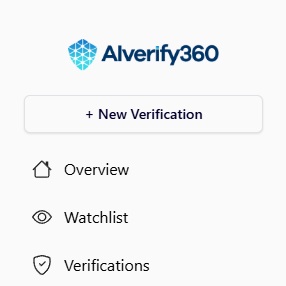
To initiate a new verification, navigate to the top-left section of the interface and select the “+ New Verification” button, as illustrated in the image below. This action will open the New Verification section.
How to use Verify360
Creating Account
To create an account, please navigate to app.verify360.ai and register using a valid email address and password, or alternatively, select “Continue with Google” to sign up using your Google account.
Upon successful registration, you will be guided through the onboarding process, where you will be required to provide your full name, professional role, and company name.
At this stage, you may also select your preferred interface theme (light or dark) to personalize your dashboard experience.
New Verification
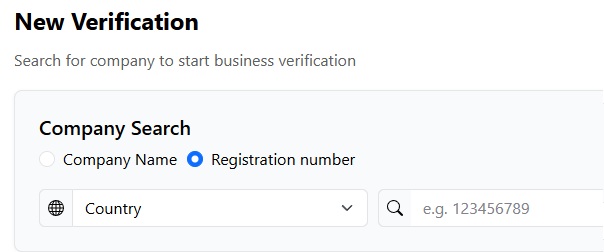
Within this section, you may add a company for verification by entering either the company name or the company number. The option to perform a verification using the VAT number is demonstrated separately in the image below for clarity.
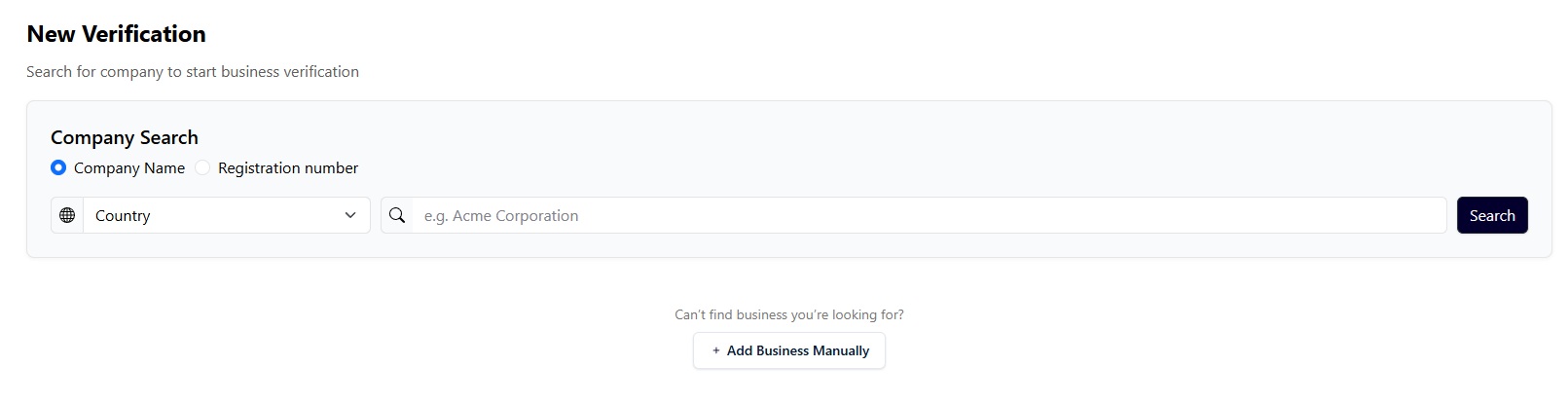
The verification search may be executed automatically by the system, or alternatively, a business entity may be added manually for review, as shown in the subsequent image.
AML Check
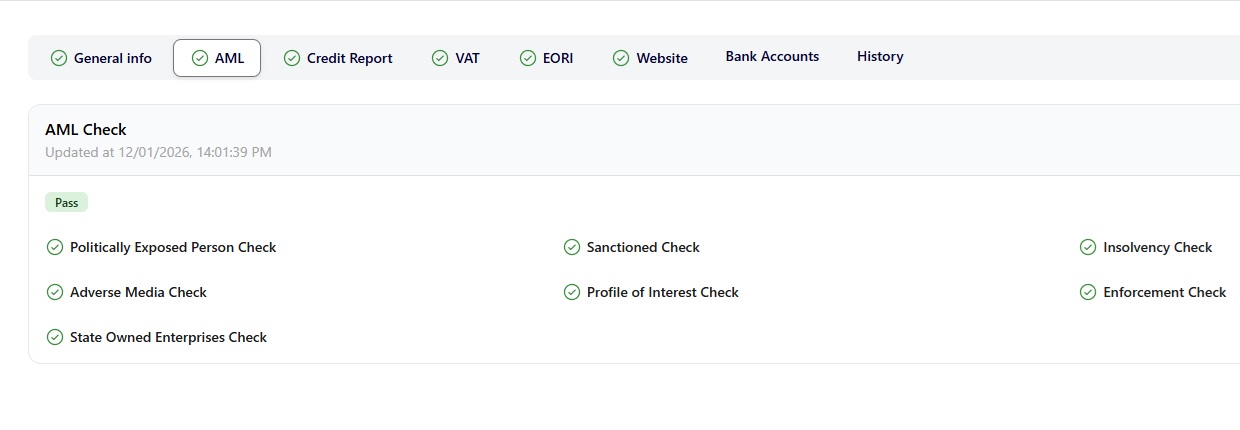
Once a new verification is submitted, the AML screening process is automatically initiated. As illustrated below, the system performs a series of critical compliance checks to determine whether the company meets regulatory requirements. The verification results include, but are not limited to, the following assessments:
-
Politically Exposed Persons (PEP) Check
-
Sanctions Screening
-
Insolvency Check
-
Adverse Media Screening
-
Profile of Interest Assessment
-
Enforcement Actions Check
-
State-Owned Enterprises (SOE) Check
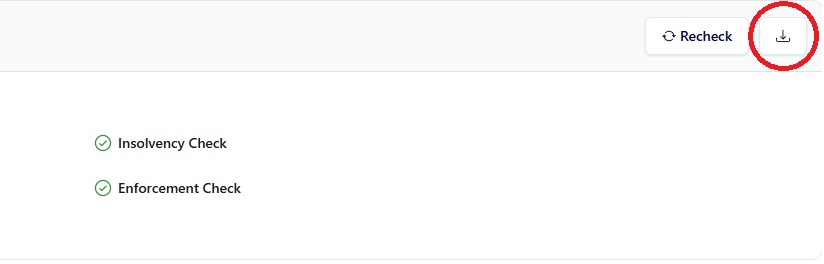
In the upper-right section of the interface, as shown in the image below, users are provided with the option to re-run the verification or download the results in PDF format. The downloadable report is generated through our trusted data partner, Creditsafe.
Credit Report
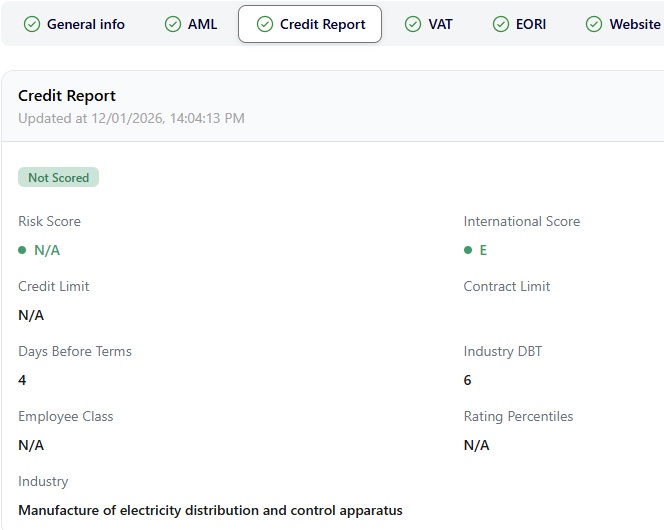
The Credit Report is automatically generated upon the successful registration of a new company verification. The exact date and time of the report generation are displayed beneath the Credit Report tab title.
Within this section, users may either re-run the credit check by selecting the Recheck button located on the right-hand side, or view and download the full credit report using the Download button. The credit report is provided in .PDF format using the export button.
What Our Credit & Compliance Reports Cover
- Verified company identity & legal status
Official registration data, incorporation details, jurisdiction, industry classification, and operational status to confirm the entity legally exists and is active. - Ultimate Beneficial Ownership (UBO) & control structure
Full visibility of shareholders, Persons with Significant Control (PSC), ownership percentages, and corporate control rights — critical for AML and KYB compliance. - Directors, officers & governance history
Current and historical directors, appointment and resignation timelines, and cross-directorships to assess governance risk and management continuity. - Credit risk score & financial stability rating
Domestic and international risk scores with historical trends to evaluate counterparty solvency and ongoing financial health. - Recommended credit & exposure limits
Data-driven credit and contract limits to support compliant lending, trade finance, and supplier risk decisions. - Payment behaviour & trade performance
Real payment conduct, days beyond terms (DBT), late payment patterns, and industry benchmarks to identify financial stress or operational risk. - Adverse legal & enforcement indicators
Court judgments, claims, secured charges, insolvency markers, and negative filings that may trigger enhanced due diligence or onboarding restrictions. - Group structure & related-entity exposure
Parent companies, subsidiaries, cross-border group relationships, and hidden exposure risks across jurisdictions. - Financial statements & key ratios
Multi-year profit & loss, balance sheet, cashflow, liquidity, leverage, and capital adequacy indicators for regulatory-grade financial assessment. - Ongoing monitoring & material change alerts
Continuous tracking of ownership changes, director updates, risk score movements, legal filings, and financial deterioration — with instant alerts.
Additionally, a section below displays any available Creditsafe source files, where applicable. For each file, the corresponding retrieval date and time are shown on the left-hand side. Users may download these files by selecting the Download button located on the right.

VAT Check
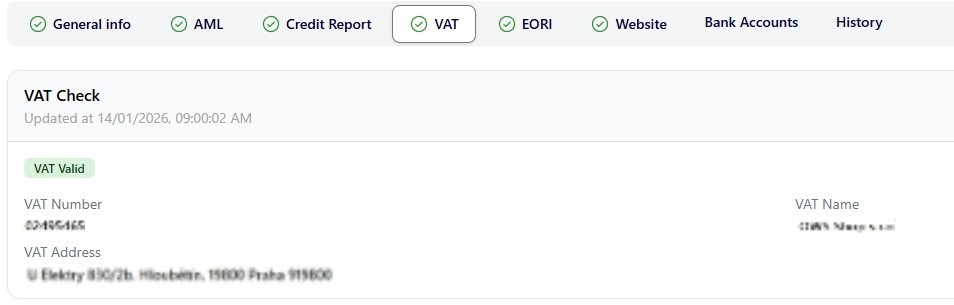
The VAT Check is automatically initiated upon the successful registration of a new company verification. As illustrated below, this section allows users to review the VAT validation results, including the following information:
-
VAT validity status
-
Company VAT number
-
Registered VAT name
-
Registered VAT address
Additionally, users may download the VAT verification results by selecting the Download button located on the right-hand side of the interface, or re-run the VAT check by selecting the Recheck button positioned next to the download option.
EORI Check
The EORI Check is automatically initiated upon the successful registration of a new company verification. As illustrated below, this section allows users to review the EORI validation results, including the following information:
-
EORI validation status
-
EORI number
-
Registered EORI name
-
Registered EORI address
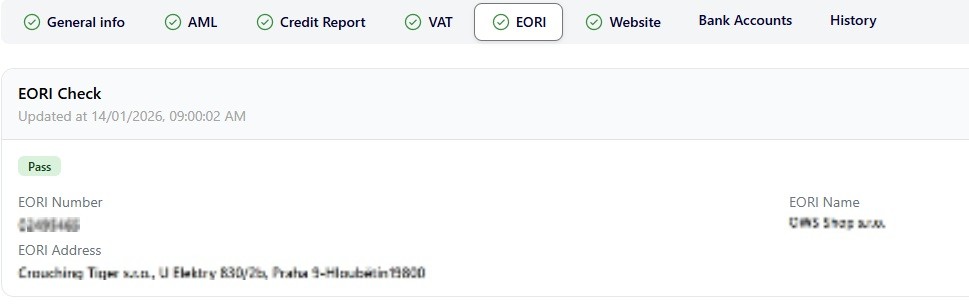
Additionally, users may download the EORI verification results by selecting the Download button located on the right-hand side of the interface, or re-run the EORI check by selecting the Recheck button positioned next to the download option.
Website Verification Services
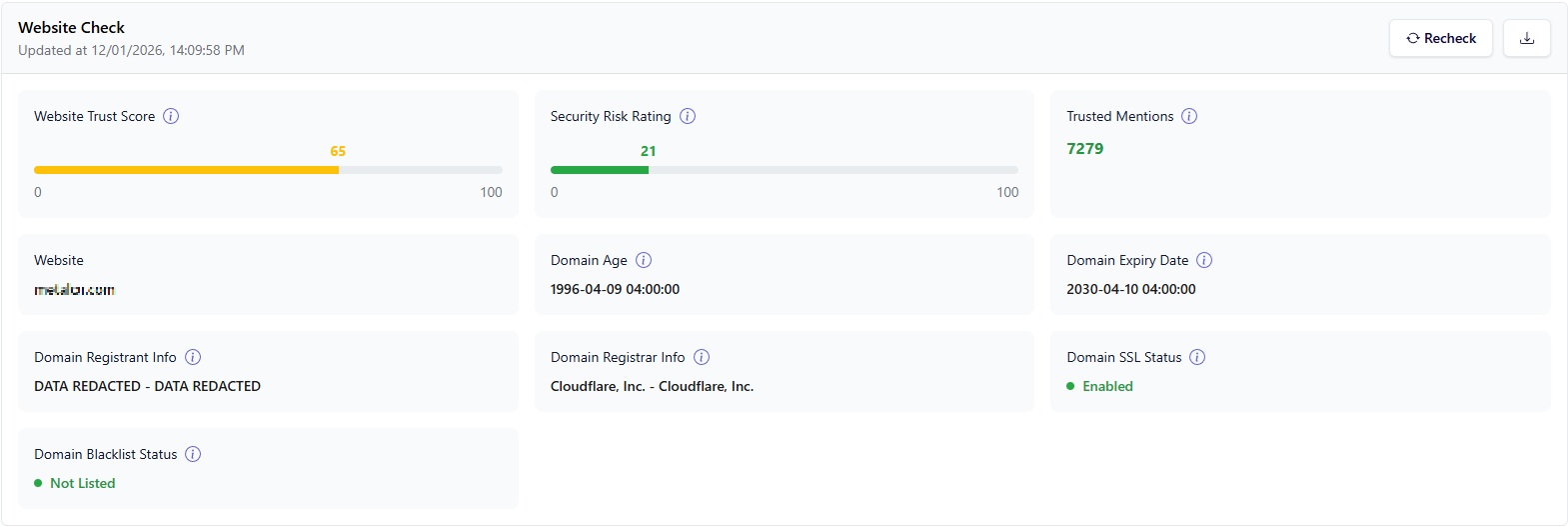
AIverify360’s website verification services are designed to help users assess the digital legitimacy, presence, and risk indicators of a business website as part of compliance, onboarding, and due-diligence processes.
Website checks are intended to support fraud prevention, counterparty assessment, and digital footprint intelligence.
What the Website Service Covers
- Website availability and operational status
- Domain registration data and age
- SSL / HTTPS security status
- Hosting and technical signals
- Publicly accessible business information linked to the website
- Digital consistency between company details and online presence
Banking Verification Services
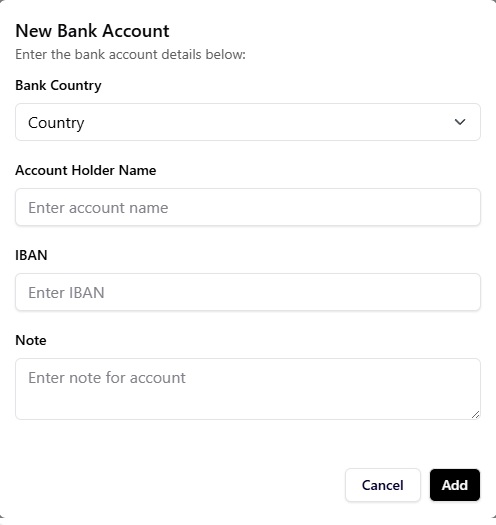
AIverify360’s banking verification services are designed to help users confirm the existence and validity of bank accounts provided by customers or suppliers, reducing fraud, payment errors, and financial risk.
These services support onboarding, payment preparation, and ongoing counterparty monitoring.
What the Banking Service Covers
AIverify360 uses licensed banking verification APIs (such as IPID or equivalent providers) to:
- Verify that a bank account exists
- Confirm structural validity (IBAN / account format)
- Assess basic account-holder matching where supported
- Enable re-verification prior to future payments
Notification Availability Notice
Please note that VAT and EORI notifications are currently active within the AIverify360 platform.
Notifications for additional services and monitoring features (including website intelligence, banking verification, and other compliance modules) are under development and will be enabled in future updates. Users will be notified as new notification types become available.
If you have any questions or require further clarification, please contact support@verify360.ai.
History
The History tab provides a complete record of all actions performed from this account in relation to the monitored company. This section allows users to review detailed logs of each activity, including the feature involved, the action type, its status, and the exact date and time the action occurred.


The all-in-one KYB platform for modern compliance teams.


© 2025 AI Verify 360 – Fifth Floor 167-169 Great Portland Street London W1W 5PF
Our Partners
